


New and Improved: January 2025

  • January 7, 2025
  • 22 replies
  • 296 views
HoneyBook January 2025 new features announcement banner
Monica R
HoneyBook Employee
Forum|alt.badge.img+7

Starting the year off strong with a bunch of new feature releases for you! 


Want a walkthrough of each new feature and update? Check out our full slideshow deck available here!


Streamline your leads and projects
 

HoneyBook x Prismm integration

Event floorplan collaboration just got easier. Connect your Prismm account to HoneyBook and add your floorplans directly to your projects—streamlining your event planning process from start to finish.


Import leads into pipeline

Got a spreadsheet full of leads and not enough time? We've got you covered. Simply upload your file—whether it's CSV, Excel, or Google Sheets—and we'll automatically add your contacts and link them to projects. It's that easy to keep your pipeline up to date and organized.


Create new projects from lead forms for your new clients

Work smarter, not harder, with a new lead forms setting. You now have the choice to create a new project for each form submission, or create a new project for first-time clients only—with submissions for existing clients automatically added to their most recently created project.


Create reminders for tasks

Never miss a deadline again. Add due dates to your tasks, and we'll give you a heads-up when something's coming up. This alert will appear in the corresponding project, your notification center, home page, and tasks page.


Turn off Preferred Vendors List

Not interested in sending your clients vendor recommendations? No problem. You can now switch them off in your Company Settings if these recommendations don't fit your business needs.


Easily import leads and contacts into HoneyBook


Improved Google contacts import

Connect your Gmail account for seamless contact management. Your Google contacts will sync automatically, and new contacts will import instantly—no manual updates needed.


Remove default lead sources

Now you can remove any default options that don't fit your needs.


Work on the go


Enhanced scheduling capabilities in the app

Scheduling from the mobile app just got a major upgrade. Now, you can do even more all from your phone. Schedule meetings the same way you do on desktop, pick session types, make quick edits, and set up time with your existing clients.


Prepare for financial success in the new year


Add and track your annual revenue goal

Want to hit your revenue goals this year? Add a goal from your Finance Overview page, then check the tracker to view your progress. Not sure what goal to set? We'll crunch the numbers for you, looking at your past performance and market trends to suggest a goal that makes sense for your business.


New features are rolled out in batches to ensure steady deployment and might not be instantly accessible. Feel free to contact our Support team if you have any questions.


22 replies

Chelene Knight
Rising Star
Forum|alt.badge.img

This update is great! The new updates even led me to discovering a few things that I didn’t even know about haha. 

Love the new Revenue Goal addition! Super helpful!


Monica R
HoneyBook Employee
Forum|alt.badge.img+7
  • Author
  • HoneyBook Employee
  • January 7, 2025

Yay!!! So happy you’re finding this helpful, ​@Chelene Knight


Hannah F
  • January 9, 2025

Did the scheduler on the desktop version get an update too? I went to make my schedule for mini sessions as I’ve done many times, and found lots of changes that were not very intuitive to figure out. Is there an article somewhere that lays out these updates?


Nicola Sam
  • Newcomer
  • January 26, 2025

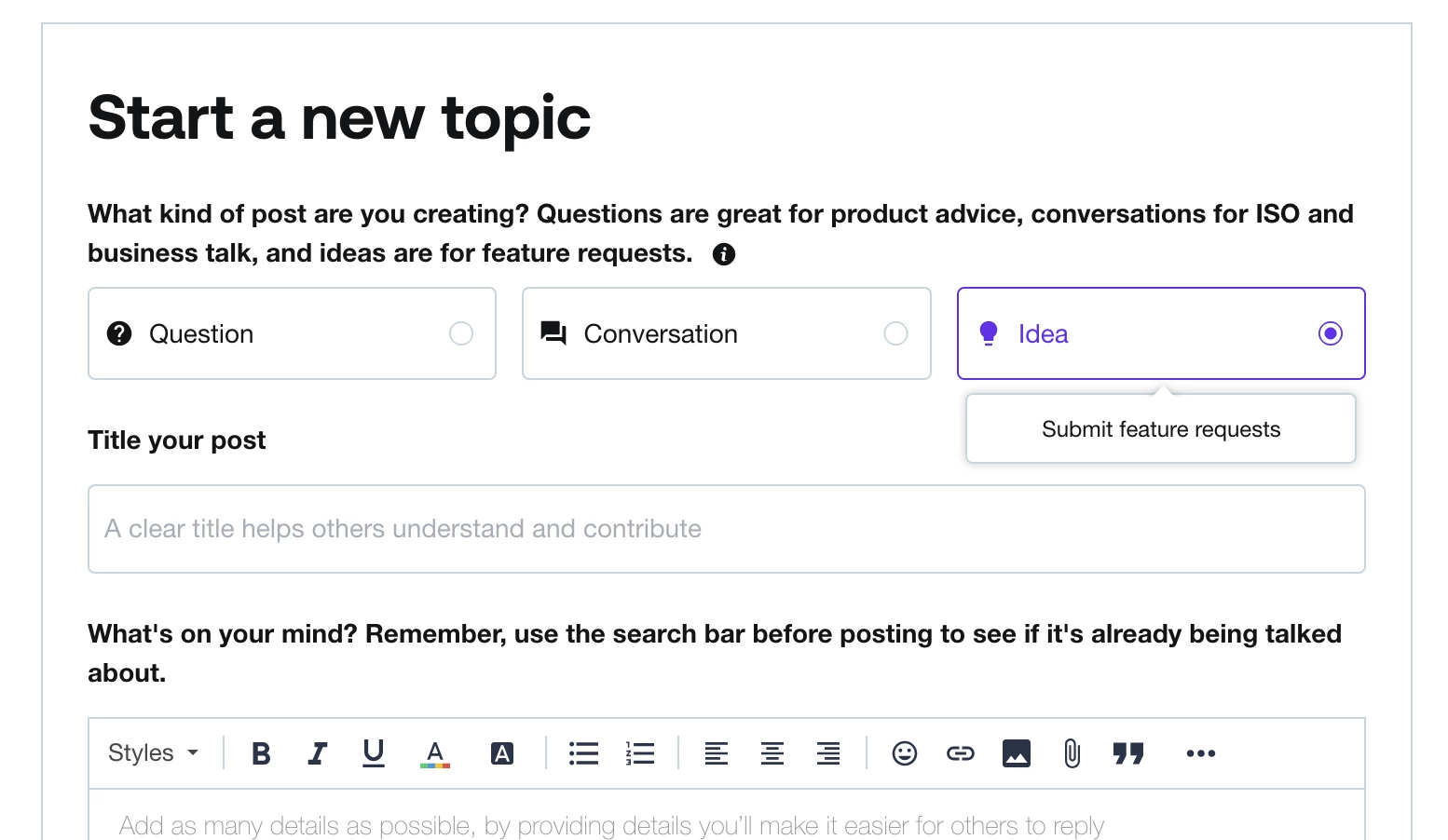
Hello, are we able to integrate Be Merri Floor Plan like we can with Prismm?


Matthew Eriksen
Community Legend
Forum|alt.badge.img+7

Hello, are we able to integrate Be Merri Floor Plan like we can with Prismm?

Hey ​@Nicola Sam that’s a great idea, you should submit it so others can upvote and the development team can hear your thoughts!


David Salsedo

I recently noticed a change in the scheduling system that no longer allows manual adjustments to 55-minute meetings, only in 15-minute increments. Since I structure my sessions around 55 minutes, this change disrupts my workflow. Could you please revert this setting?

Additionally, the new calendar interface feels less efficient. I now have to manually enter both the start and end times, which slows down scheduling, especially with multiple meetings. Is there a way to restore the previous functionality?

I appreciate updates that enhance usability, but these changes have introduced limitations rather than improvements. I’d love to see adjustments that support flexibility rather than restrict it. Thanks for your time and consideration!


Matthew Eriksen
Community Legend
Forum|alt.badge.img+7

Hey David! I’m Matthew, a brand designer and HB Pro. Hope I can help you out here. When you say the Scheduler no longer allows 55-minute meetings do you mean the meeting duration or custom availability increments?


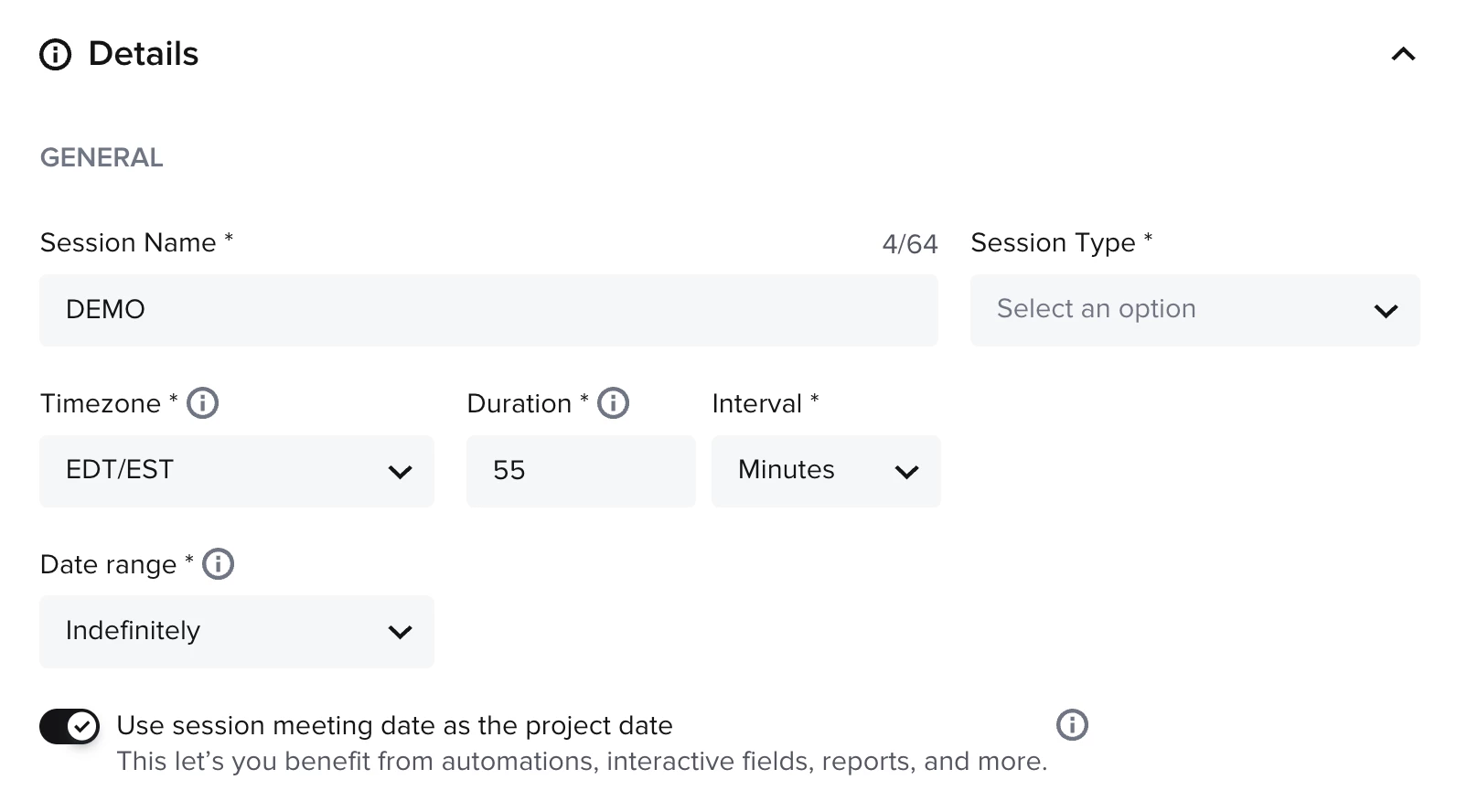
I opened my account and here’s what I’m able to do:

  • Set duration to 55 minutes
  • Use session meeting date as the project date

———

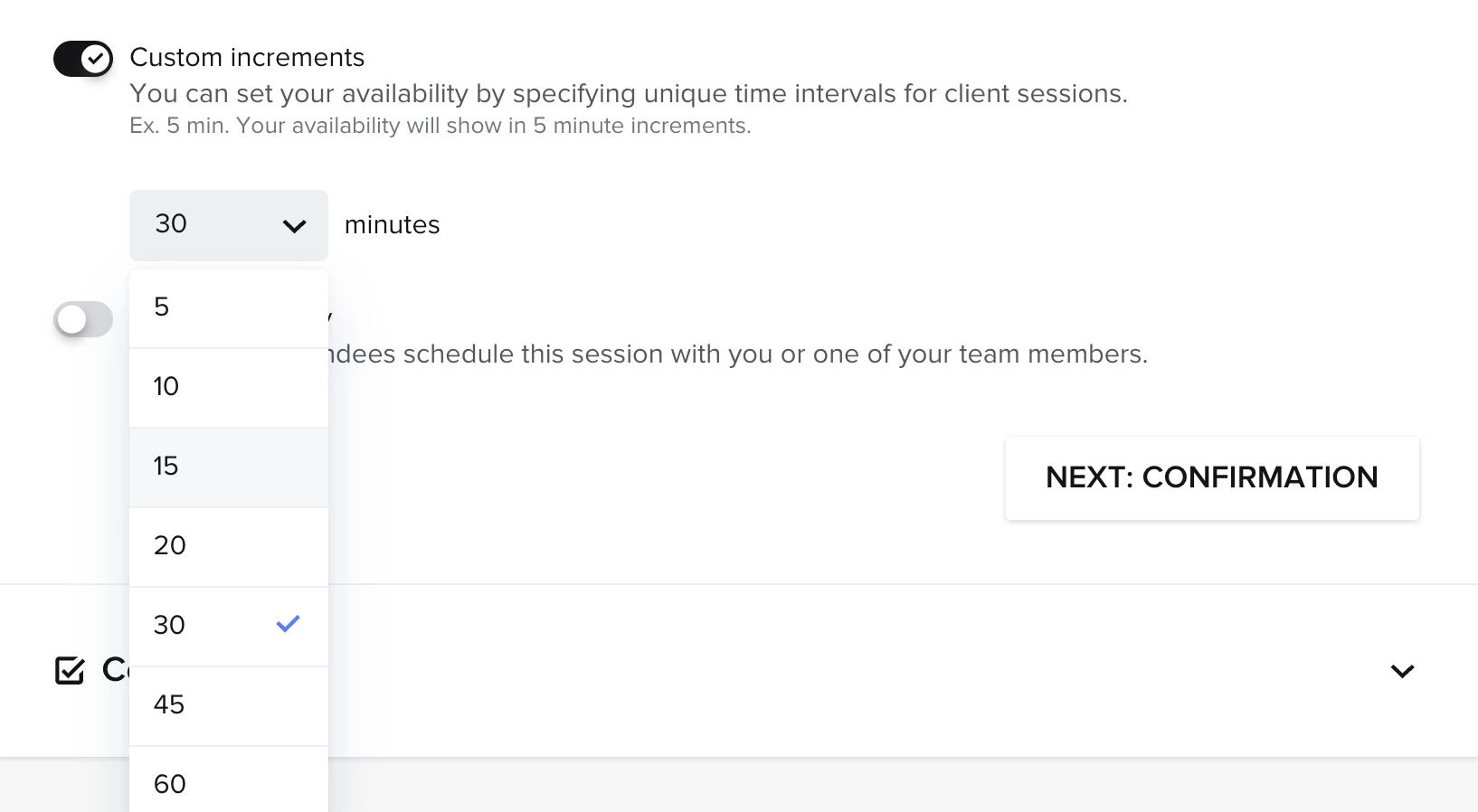
Note: custom increments are allowed in the following intervals. However, if you set the duration of meeting to 55-min and allow folks to book in 60-min increments, that would give you a 5-min buffer between sessions


Please let me know if I’m following correctly. Thanks!


David Salsedo

Hi Matthew,

I'm not referring to either of these. I can set the meeting duration to 55 minutes, but when scheduling a meeting within a specific project, I’m unable to manually adjust the time to 1:00 PM – 1:55 PM on a given date. The system only allows me to set it from 1:00 PM – 2:00 PM. I hope that makes sense. Is there a way to change this?


Dr. Dominique Pritchett

Hello! How do I update my older version (options and look) to the newest with updates? 


Matthew Eriksen
Community Legend
Forum|alt.badge.img+7

Hi Matthew,

I'm not referring to either of these. I can set the meeting duration to 55 minutes, but when scheduling a meeting within a specific project, I’m unable to manually adjust the time to 1:00 PM – 1:55 PM on a given date. The system only allows me to set it from 1:00 PM – 2:00 PM. I hope that makes sense. Is there a way to change this?


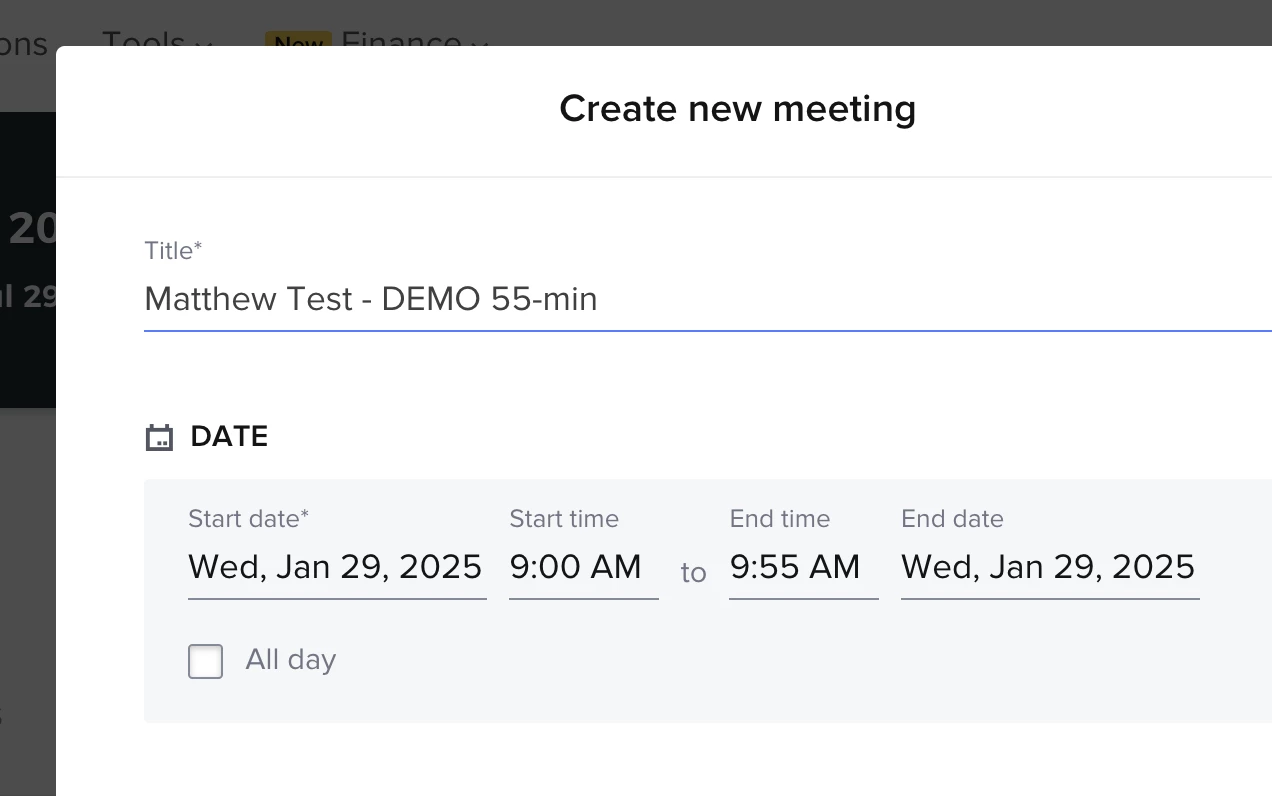
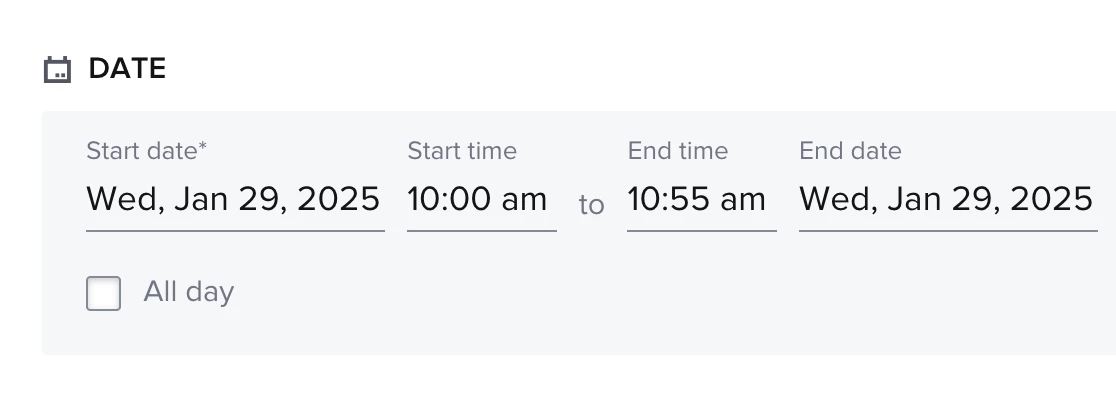
Hi David! Ah that sounds like a glitch. When I use the demo session I created for this, I’m able to select the 55-min session, then it automatically generates a 55-min duration. I can then go in and change the time to let’s say 10am – 10:55am. Is there what you’re referring to? If so, please contact chat support using the (?) button on bottom right side of your screen.

Session shows as 55-min


Generates as 55-minute duration

 
Allows for manual editing to another time frame, also at 55-min


Matthew Eriksen
Community Legend
Forum|alt.badge.img+7

Hello! How do I update my older version (options and look) to the newest with updates? 

Hi ​@Dr. Dominique Pritchett! Most of these should update on it’s own. If there are aspects that have not done so, please contact chat support using the (?) button on the bottom right of your screen. Hope this helps!


David Salsedo

Matthew,

Yes, that’s the issue. It’s definitely a glitch. I was able to manually change the time by the minute on the phone App but not on my desktop. Can you please alert Honeybook of the glitch so that they can resolve it ASAP. I need this feature to schedule client meetings.

Thanks,

David


Matthew Eriksen
Community Legend
Forum|alt.badge.img+7

Matthew,

Yes, that’s the issue. It’s definitely a glitch. I was able to manually change the time by the minute on the phone App but not on my desktop. Can you please alert Honeybook of the glitch so that they can resolve it ASAP. I need this feature to schedule client meetings.

Thanks,

David

Hi David! Chat support is your best path forward. I don’t work for HoneyBook so I sadly cannot help other than make a recommendation to contact them via the (?) button on the bottom right of your screen. This also sounds like an isolated glitch within your account, so they’ll need to know who’s account it’s in, etc. Please reach out to support and they’ll for sure help you out 😊


David Salsedo

I reached out to customer service via (?) today regarding the latest update to scheduling a meeting. They confirmed that what initially seemed like a glitch is actually intended behavior—meaning the desktop version now has fewer scheduling capabilities than the mobile app. I’m having trouble understanding how this qualifies as an update.

I’m struggling to understand why I can set meeting times down to the minute on the mobile app but not on the desktop. You can set a meeting duration to 55 minutes, but you’re unable to start a meeting at a specific time, such as 10:55 AM. If this is an intentional design choice, it feels frustrating and inconsistent. The desktop version should, at minimum, offer the same functionality as the app. You can set the 

Frankly, this update has been the most problematic change I’ve encountered in my two years using HoneyBook. If this limitation isn’t addressed, I may need to consider alternative software that better supports my workflow.

If you’re also frustrated by this limitation in scheduling meetings, please speak up so they can change it back to the way it was before.


Matthew Eriksen
Community Legend
Forum|alt.badge.img+7

Hey ​@David Salsedo that doesn’t sound like intended behavior. I can go into a project and make a meeting any time on my end. ​@Monica R can we get a specialist connected to David and his account? I find it hard to believe this is not a glitch. 

Hope they can get that solved David!


David Salsedo

Thank you, Matthew! Do I need to reach out to @Monica R or will she reach out to me to see if this can be resolved?


Matthew Eriksen
Community Legend
Forum|alt.badge.img+7

@David Salsedo yes, ​@Monica R will likely get back to you here in 24h or so. Thanks and good luck!


David Salsedo

Thanks, Matthew. Just to clarify, can you share the exact steps you use to schedule a meeting from your end? Are you scheduling a meeting through a specific project and clicking the “Schedule” button on the right side of the page?


Matthew Eriksen
Community Legend
Forum|alt.badge.img+7

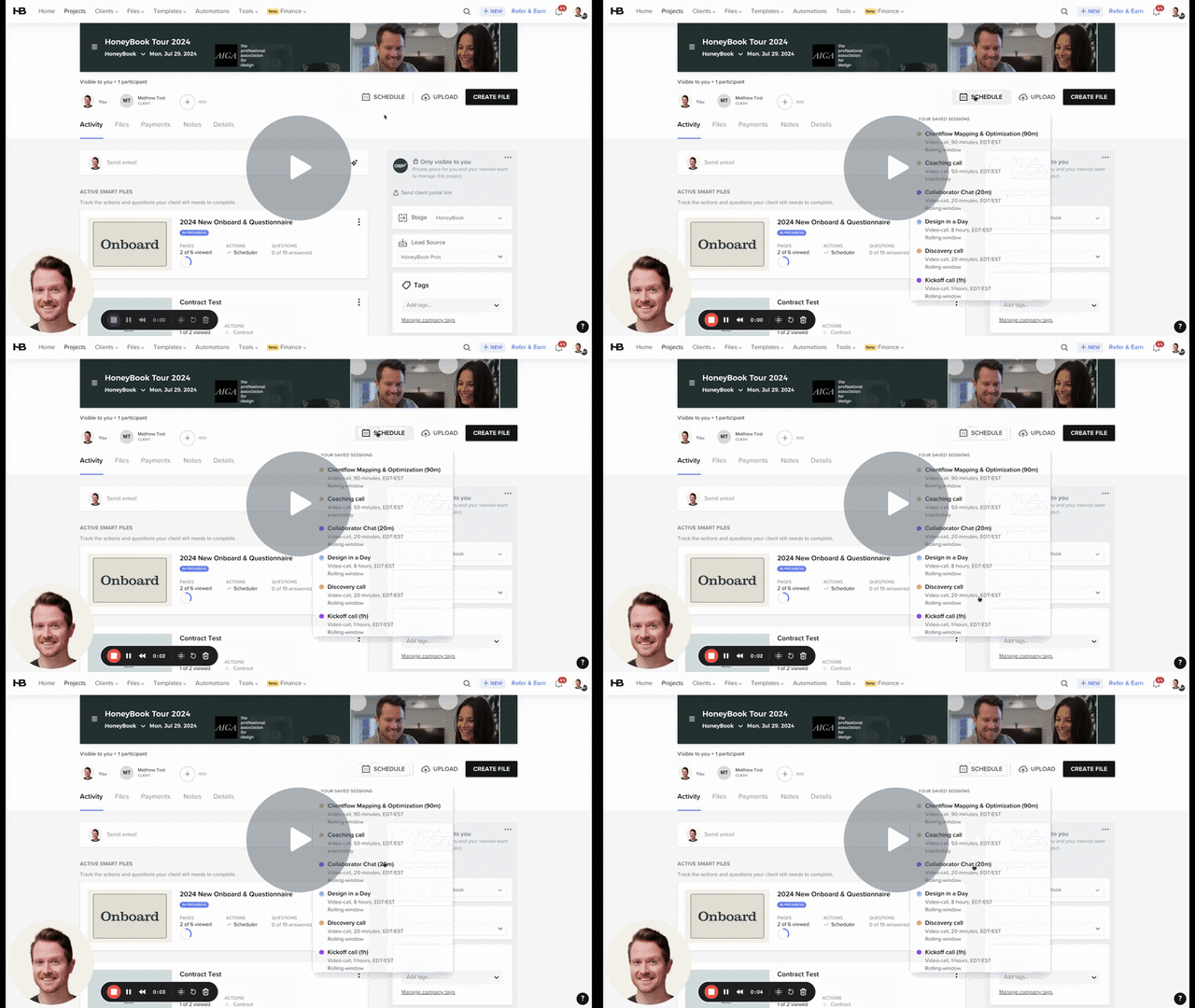
Certainly. Heres what I do, David. Remember, the session types are essentially templates that clients use to book on their end, they can’t change anything. But if you manually schedule a session within a project you can change the name, duration, instructions, etc.

HoneyBook: Activity - 30 January 2025 - Watch Video

8d9ca6ebede740eeaea746fec1045dc8-88703e93fdbfb197-full-play.gif


David Salsedo

Matthew, I noticed you're still using the previous scheduling system. The updated version looks slightly different now. One key change is that you can no longer manually adjust the time by clicking into it on the desktop version—this feature is now only available in the mobile app. I'm not sure why they made this change, but it has been frustrating. I wish they would revert it to the previous functionality!


Ashley Rufino
Creative Icon
Forum|alt.badge.img+6
  • Creative Icon
  • February 1, 2025

Matthew, I noticed you're still using the previous scheduling system. The updated version looks slightly different now. One key change is that you can no longer manually adjust the time by clicking into it on the desktop version—this feature is now only available in the mobile app. I'm not sure why they made this change, but it has been frustrating. I wish they would revert it to the previous functionality!

Yes I do notice that on the app you can manually change it by the minute but in the desktop, you can only adjust in 15 minute increments. I see your frustration!


Matthew Eriksen
Community Legend
Forum|alt.badge.img+7

I’ve been told by the dev team this change was not intentional and they are looking into possible solution to fix this. In the meantime will support 5 minute intervals to make a bit more flexible in the meantime. ​@David Salsedo + ​@Ashley Rufino + ​@Monica R