

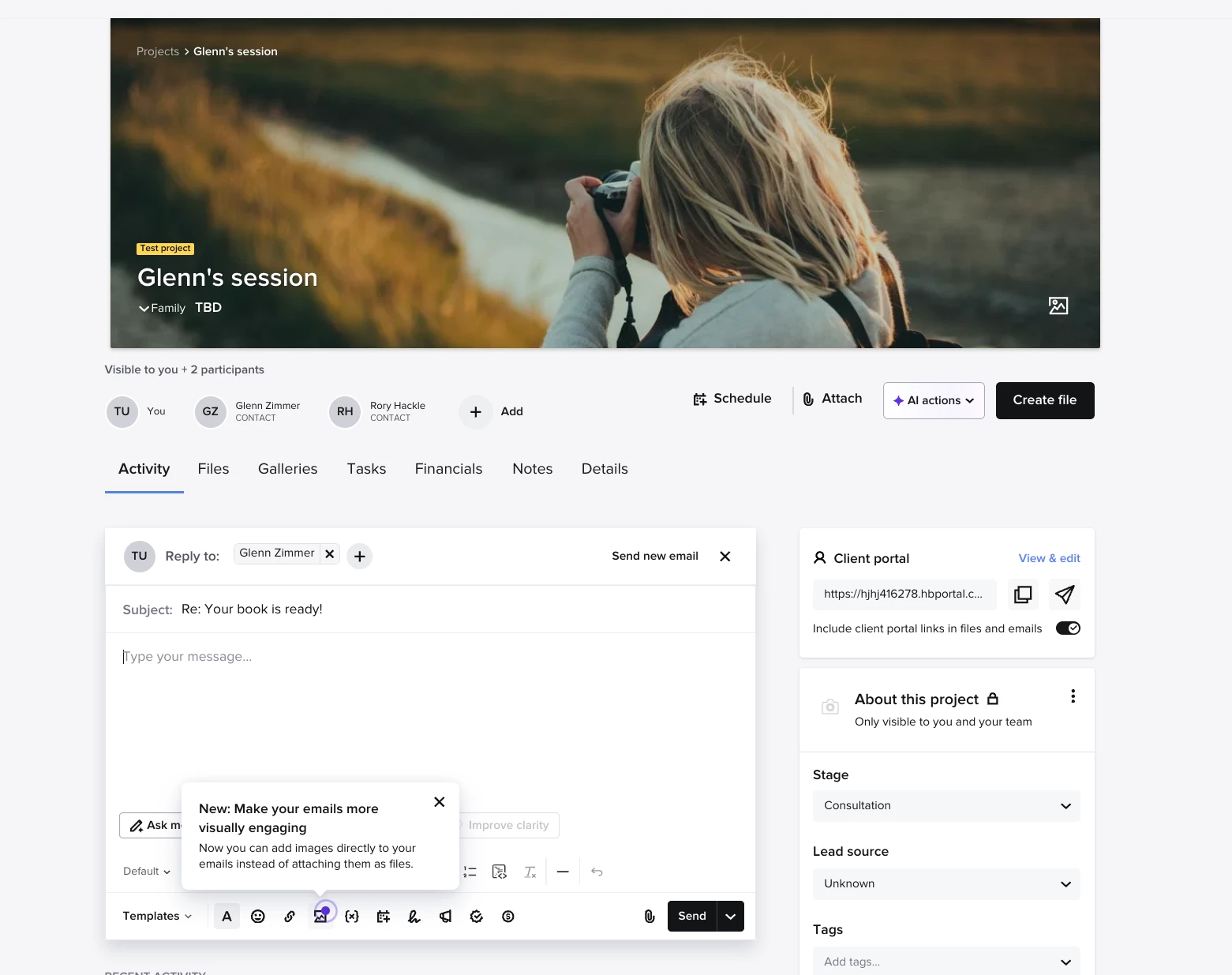
I hate that there is still no option to embed images into the body of an email. I need to do this for client reviews! I first mentioned this back in 2023, and still nothing has been done about it. I don’t understand why HoneyBook won’t allow it when all other email platforms do. HoneyBook, any solution? The “attach images” option is not what I’m looking for.

Question
Embedding Images/Screenshots into Emails






 look for this icon in the email writer.
Sign up
Already have an account? Login

Welcome! To join the HoneyBook Community, log in with your HoneyBook account below.
You'll confirm your username and share a bit about yourself, then you're ready to explore and connect.
Free trial? No problem. Log in with your trial credentials to join.
Already a member? Hi and welcome back!
You will see the HoneyBook login page briefly to validate your trial or account.
Employee Login
Log in with HoneyBook
Welcome! To join the HoneyBook Community, log in with your HoneyBook account below.
You'll confirm your username and share a bit about yourself, then you're ready to explore and connect.
Free trial? No problem. Log in with your trial credentials to join.
Already a member? Hi and welcome back!
Welcome to the Community
No account yet? Create an account
Welcome! To join the HoneyBook Community, log in with your HoneyBook account below.
You'll confirm your username and share a bit about yourself, then you're ready to explore and connect.
Free trial? No problem. Log in with your trial credentials to join.
Already a member? Hi and welcome back!
You will see the HoneyBook login page briefly to validate your trial or account.
Employee Login
Log in with HoneyBook
Welcome! To join the HoneyBook Community, log in with your HoneyBook account below.
You'll confirm your username and share a bit about yourself, then you're ready to explore and connect.
Free trial? No problem. Log in with your trial credentials to join.
Already a member? Hi and welcome back!
Enter your E-mail address. We'll send you an e-mail with instructions to reset your password.