


Question

Individual contracts for models on one project

  • March 4, 2024
  • 7 replies
  • 69 views

Dominic Cordrey

Need to know how to create individual contracts within one project. Project has multiple models, but creating model release form only includes the first client signature block. I can do multiple signature blocks but have to change everything in the smart blocks. There has to be an easier way. This is a time burden.

Within project, I can’t send individual emails for these models because the project is grouped even when going into their contact form.


7 replies

Than P
Forum|alt.badge.img
  • Newcomer
  • April 3, 2024

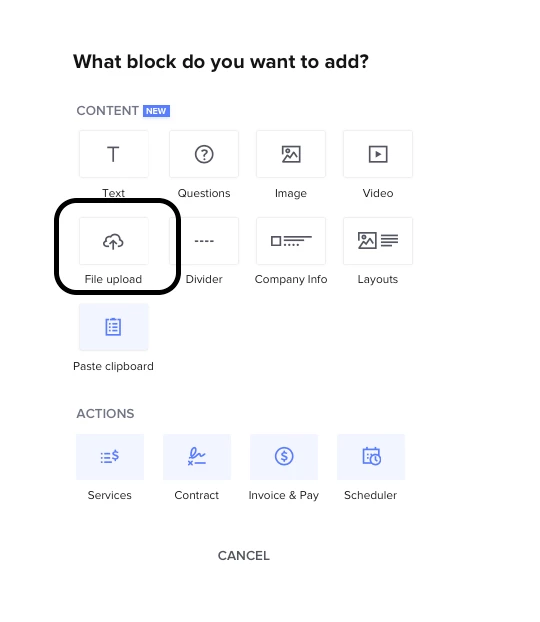
This may be an example where it would be better to upload a PDF directly into your contract:


I’ve done the same. If I am correct, you can have the client/models each download this, sign with adobe/etc, and return to you. Then you can file them away. Does that help?


Irene Colgan

I am having the same issue. I have multiple people in a project and need each one to sign contract. When I sent the file it was seen by everyone in the group, BUT it only references the first person in the project. So, everyone received a contract, with someone else’s name. So frustrating. 

Did you ever figure it out?


Michal Peled
HoneyBook Employee
Forum|alt.badge.img+1
  • HoneyBook Employee
  • August 18, 2024

There are two approaches to this:

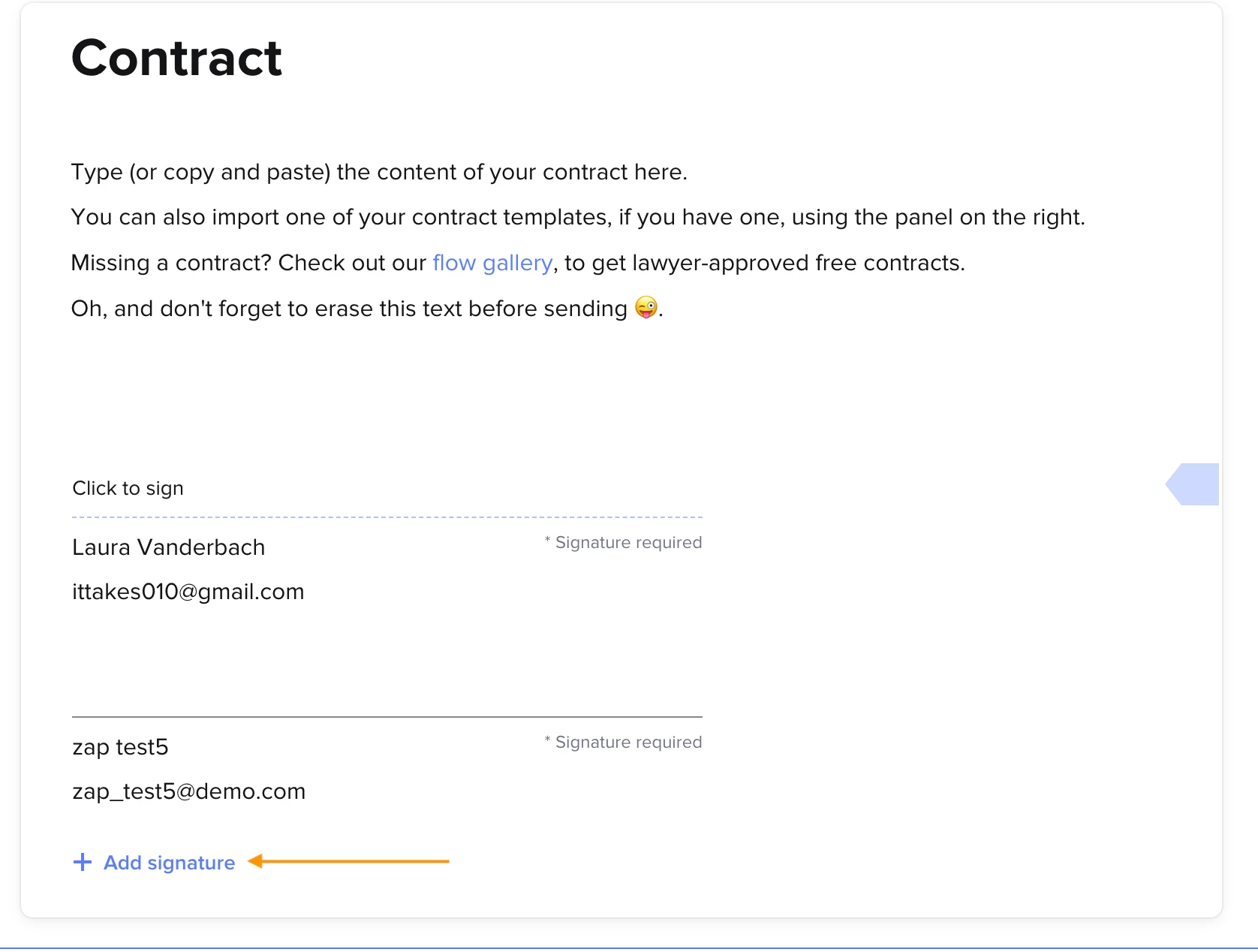
  1. If it’s a standard contract for all of the clients in the project, you can add a signature block for each of them and collect all of their signatures ( @Irene Colgan maybe it’ll work for you?)
    Use the “+Add signature” option
     
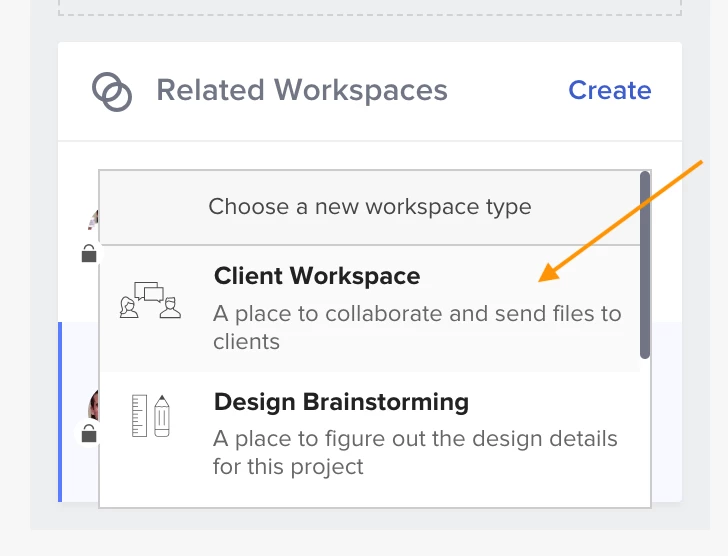
  2. If you have individual contracts per project’s participant, you can create separate workspaces for a particular client within the same project, and manage their individual contracts, communication, and pipeline stage separately within the same project:
    Adding a Client Workspace within a project
     I think this may work for what you need, @Dominic Cordrey .

    Waiting to hear your feedback!

Jenna Deason
Forum|alt.badge.img

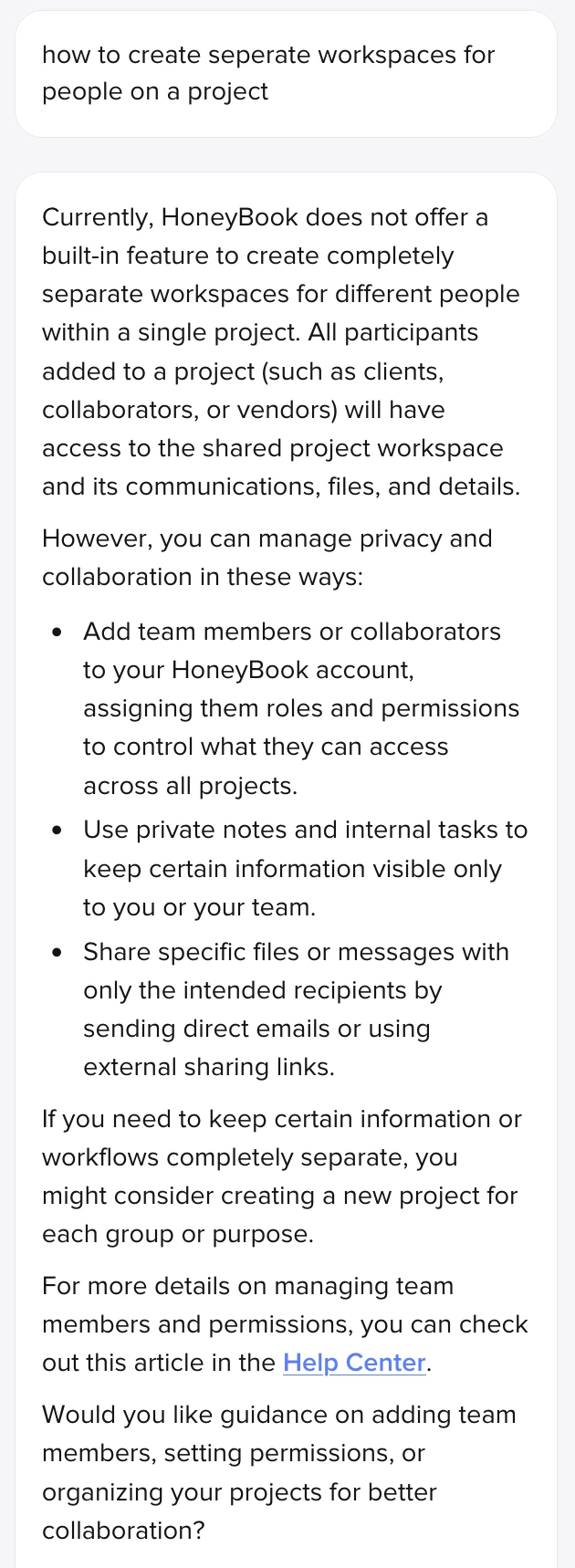
@Michal Peled - I was going to try the separate workspaces option you reference so I can send an invoice to one of the two clients on a project for additional service they requested and wish to be billed for independently, but when I asked the AI how to do that this is the response I got. So it doesn’t seem that separate workspaces are an option anymore. 


Michal Peled
HoneyBook Employee
Forum|alt.badge.img+1
  • HoneyBook Employee
  • August 6, 2026

Hi ​@Jenna Deason !
This looks like an knowledge gap within the bot that I’ll report to make sure is fixed.

The option to add a workspace is alive and present within any existing project, and was even visually improved since my last comment.
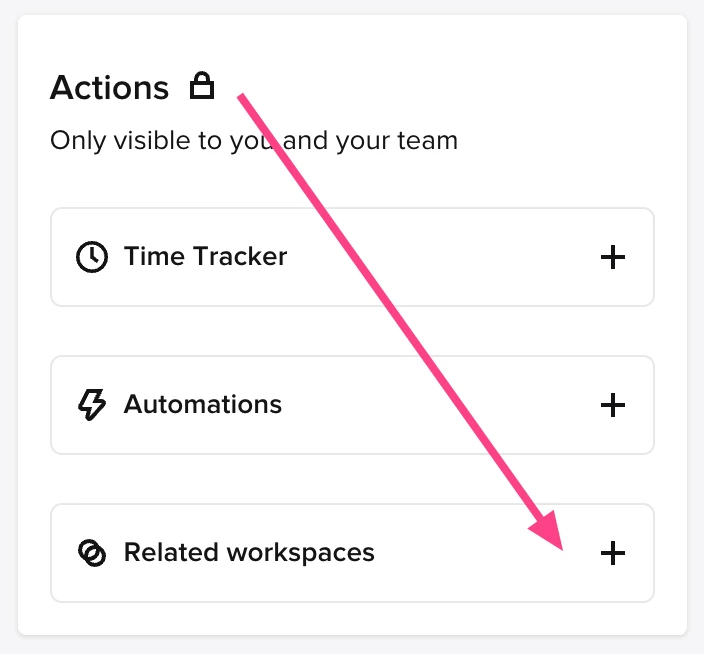
When you’re in a project, scroll all the way down the project’s sidebar (the one on the right) to find the “related workspaces” option under the “Actions” section, and click on the “+” to add a new workspace:


The new workspace will not carry the same client(s) as the original one, so you can add different clients to it and manage them separately.
Tip: you can also rename the workspace after you created it by clicking on its name on the sidebar

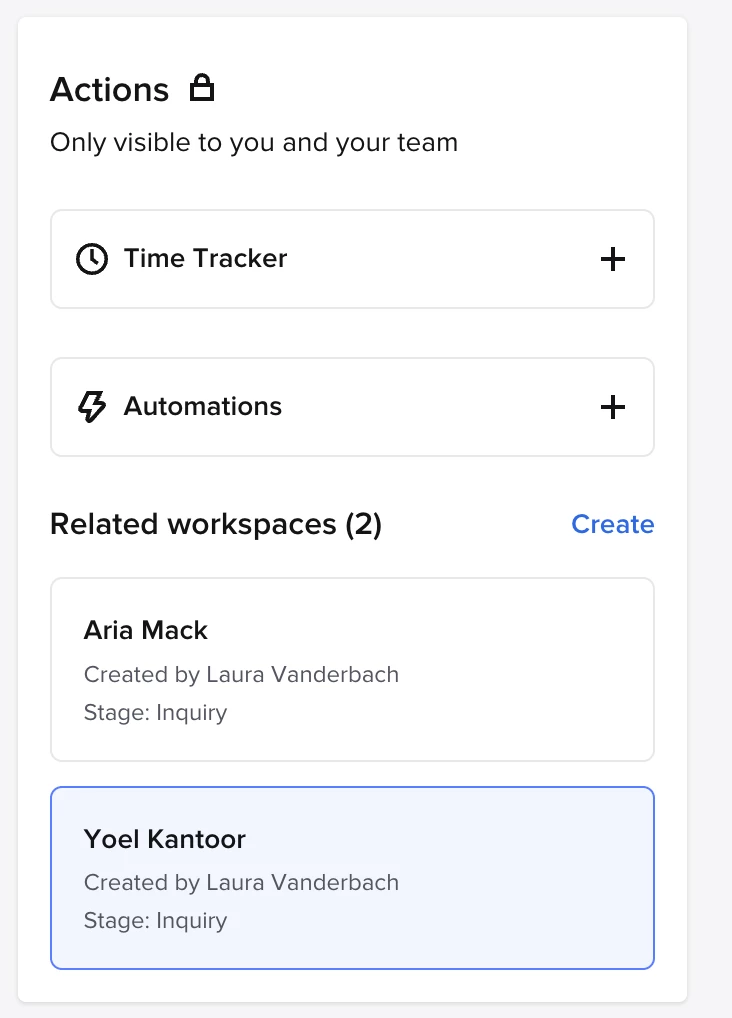
Example for workspaces view in a project with a second workspace (one is the original):


​​​​​​​Let me know if it worked out!


Jenna Deason
Forum|alt.badge.img

Hi ​@Michal Peled! I was able to find that option and test it. The new workspace shows as another project on the pipeline, which would get confusing for my process (parents paid for the base package but the bride is adding services and needs to be billed separately for the additions).

I did find other posts about updates that allow selecting who emails go to which is an option under the activity tab, but when I go to the file and click the email button, both names appear in the To line and there is no X to remove the parent. But there is no way to attach that invoice as a file in a regular message under the activity tab if I message just the bride. I also found posts about managing permissions to files, but I don’t have the 3 dots on my files (legacy templates) so I’m guessing that is only for Smart Files?

The AI Chat Bot says the only way to send an invoice to one party is the workspace option. There has to be a simpler way to send an invoice to just one contact within a project. Please direct me on how to do that!


Michal Peled
HoneyBook Employee
Forum|alt.badge.img+1
  • HoneyBook Employee
  • August 8, 2026

Oh, I understand the situation better now.
You’re right, there is a way to send files, and emails with file attachments, only to specific clients within a project, but both features are supported for Smart Files only.

Would you like to receive additional information about Smart Files, in case you’d like to explore this option?