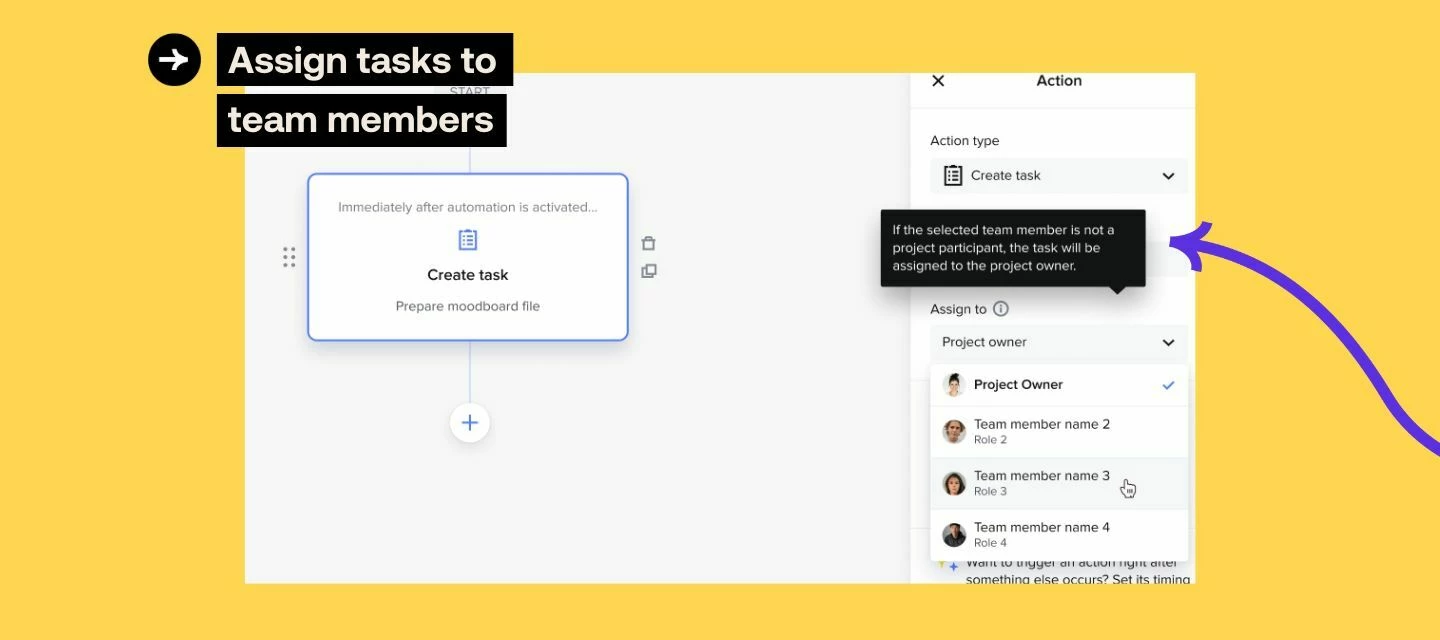




Assigning tasks to team members in Automations

Related products:Automations
  • March 13, 2024
  • 5 replies
  • 134 views
Assigning tasks to team members in Automations
Mac H
HoneyBook Employee
Forum|alt.badge.img

Save time while managing tasks across your team by determining their assignee ahead of time.

Automations ensure nothing slips through the cracks and you’re able to check everything off your list quickly & efficiently, and now, with the help of your team! We rolled this out to 100% of members on Monday 3/11.


How does it work?

While building an Automation, you will now see the option to assign a task to a team member. So long as the assigned team member is already a participant in the project where the Automation gets applied, they’ll be assigned as the task owner. If the assignee isn’t in the project, the task will be default to assign to the project owner instead.

Follow these instructions to setup automations with your team, or learn more about teams in HoneyBook here.


5 replies

Cassie H of Premier Ops Spot
Community Legend
Forum|alt.badge.img+7

So exciting!!!!


Ashley Mueller
Forum|alt.badge.img

 I'm obsessed! Such a great addition 


Mac H
HoneyBook Employee
Forum|alt.badge.img
  • Author
  • HoneyBook Employee
  • March 14, 2024

We’ve got some other exciting updates coming next week! Stay tuned 😎


I love this! I’m not seeing it in my clients profile though - even if I try to start a new automation?


Mac H
HoneyBook Employee
Forum|alt.badge.img
  • Author
  • HoneyBook Employee
  • March 19, 2024

Hey @Jess McKnight, did you review the help center content linked above? That will walk you through step by step instructions. One thing to note is that your client will need to be on at least our Essential Plan which allows for team members.

Let me know if after troubleshooting a bit more you need me to escalate this to our support team for you!