

Hi everyone, Adam here!
I’m a Product Specialist on the Product Specialist team, and I’ll be spending more time in the community alongside Howard and Esther (also Product Specialists). Our goal is to be more present, close the loop on updates, and make sure your feedback is clearly reflected in what we’re building.
Today, I’m excited to share three updates that have come directly from what we’ve been hearing from y’all here, as well as through Support tickets.
- Skipping an automation step
- More accurate pipeline counts from filtering
- Kanban boards in pipeline
Skip an automation step
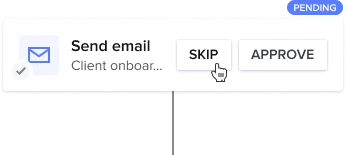
This has easily been one of the most requested automation improvements we see, and we know it’s been frustrating to work around it.
You can now skip individual automation steps without having to turn off the entire automation or rebuild your flow. Whether a task is already done, a project changes direction, or a step just doesn’t make sense in the moment, you now have the flexibility to move forward without breaking anything.
The goal here is simple: automations should support how you actually work, not force you into awkward workarounds.
More accurate project pipeline counts when filtering
We’ve also made an improvement that clears up a long-standing point of confusion in the project pipeline.
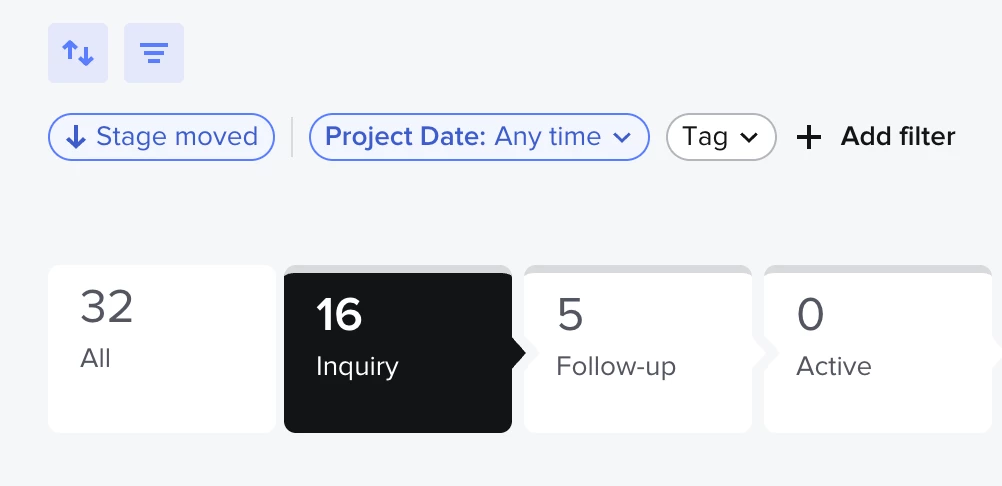
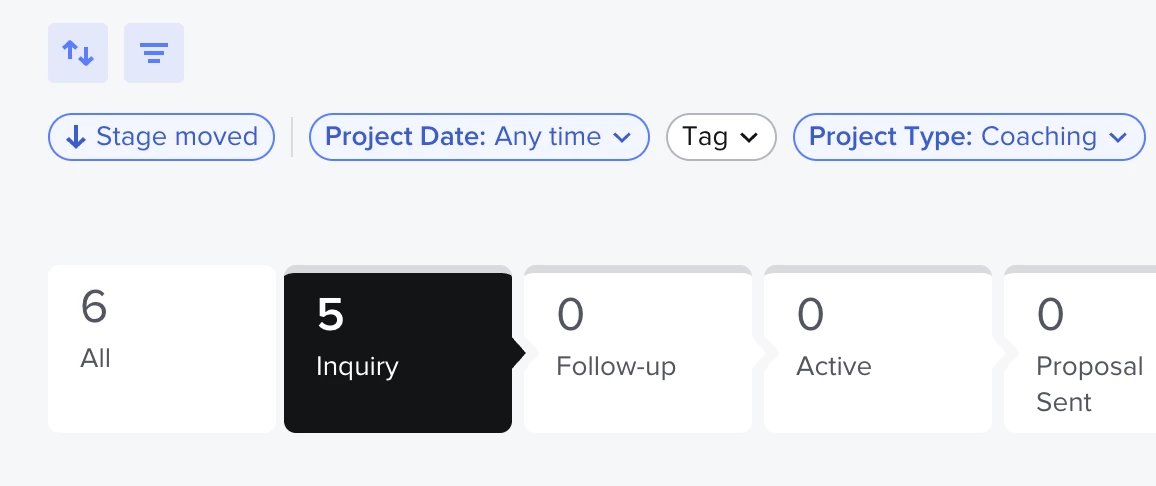
When you apply filters, the project counts shown in each pipeline stage will now reflect only the projects that match those filters. So if your pipeline shows 32 projects and a filter narrows that down to 6, the stage counts will update accordingly.
This doesn’t change how your projects work, but it does make the pipeline easier to read and trust, especially when you’re trying to get a quick sense of your workload.
🎉 Kanban 🎉
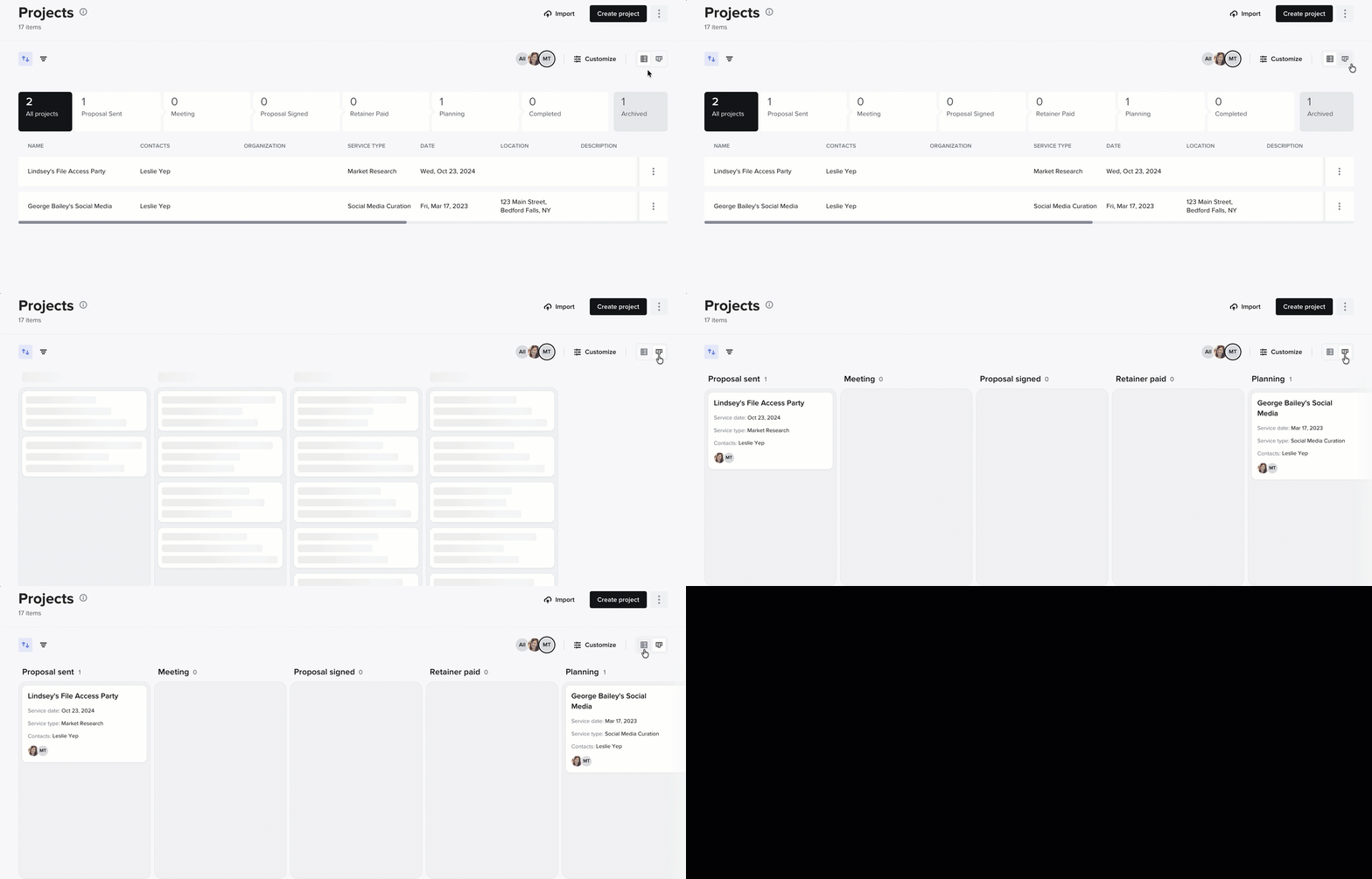
We’re very excited to be rolling out Kanban boards for project pipeline! This is another widely requested feature we’ve been eager to get out. We’re rolling it out this week, and you should expect to see it in your account by the beginning of next week. 💪
Update: Released to all members on February 1st!
Looking forward
We know these are just three of many features and improvements you’ve been asking for, and we want to be clear that we see those requests. While we wish we could ship everything at once, our teams are hard at work to update as quickly as possible.
Documentation for both of these updates is being refreshed and will be shared soon.
Thank you for continuing to share ideas, pain points, and thoughtful feedback! We’re always reading, and you’ll be hearing more from us as we keep rolling out improvements.
Be on the lookout for a more in depth monthly product update from Monica soon!