

How can I save a copy of a paid invoice and completed contract as a PDF?

Solved
How to save a contract and invoice as a PDF

Best answer by Claire Bough
Hey Patrick! HoneyBook employee here.
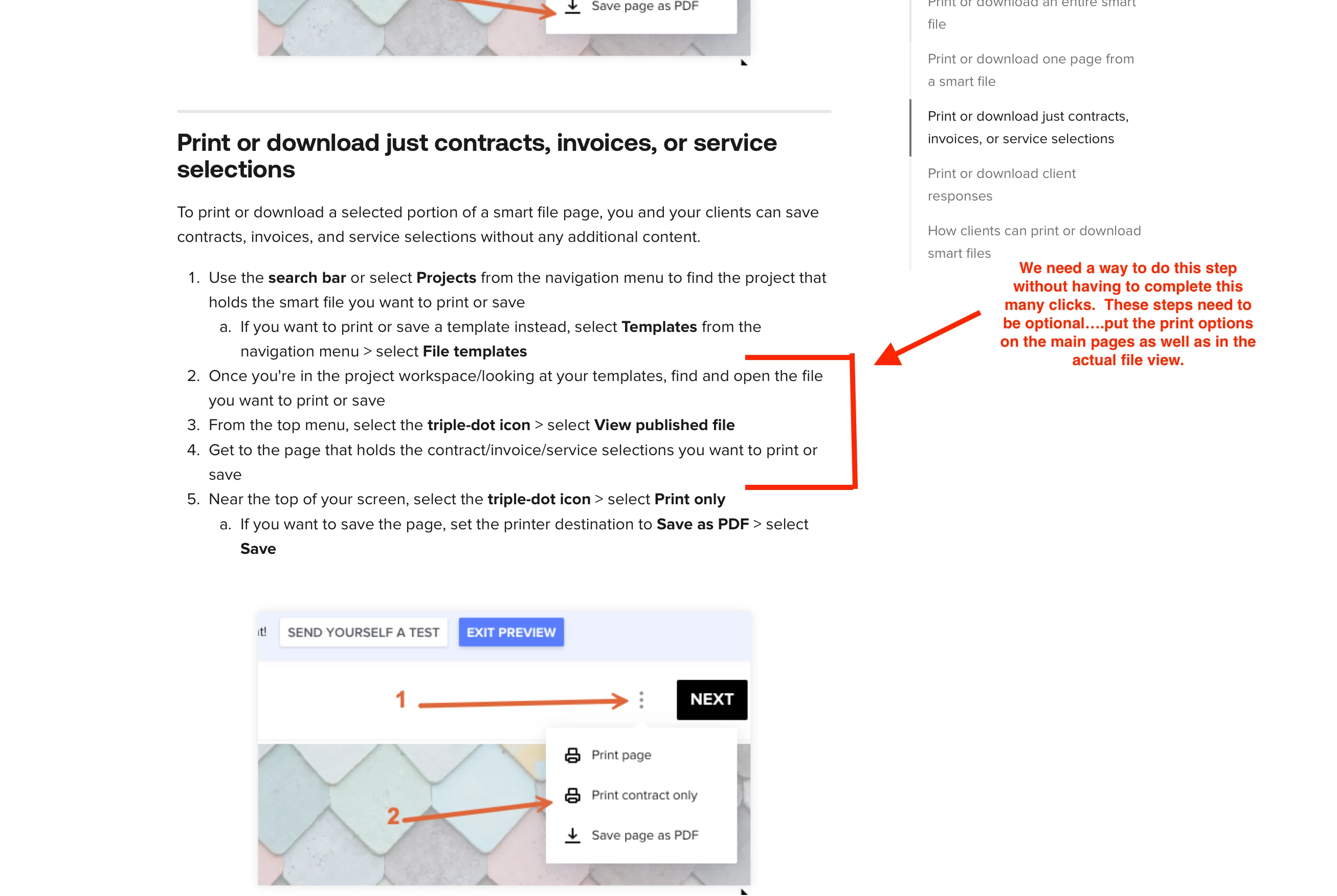
To save a completed smart file (invoice, contract, or both) as a PDF:
1. Open the project and click into the smart file
2. Hit the three-dot menu in the top right and select Download as PDF (or Print → Save as PDF from your browser)
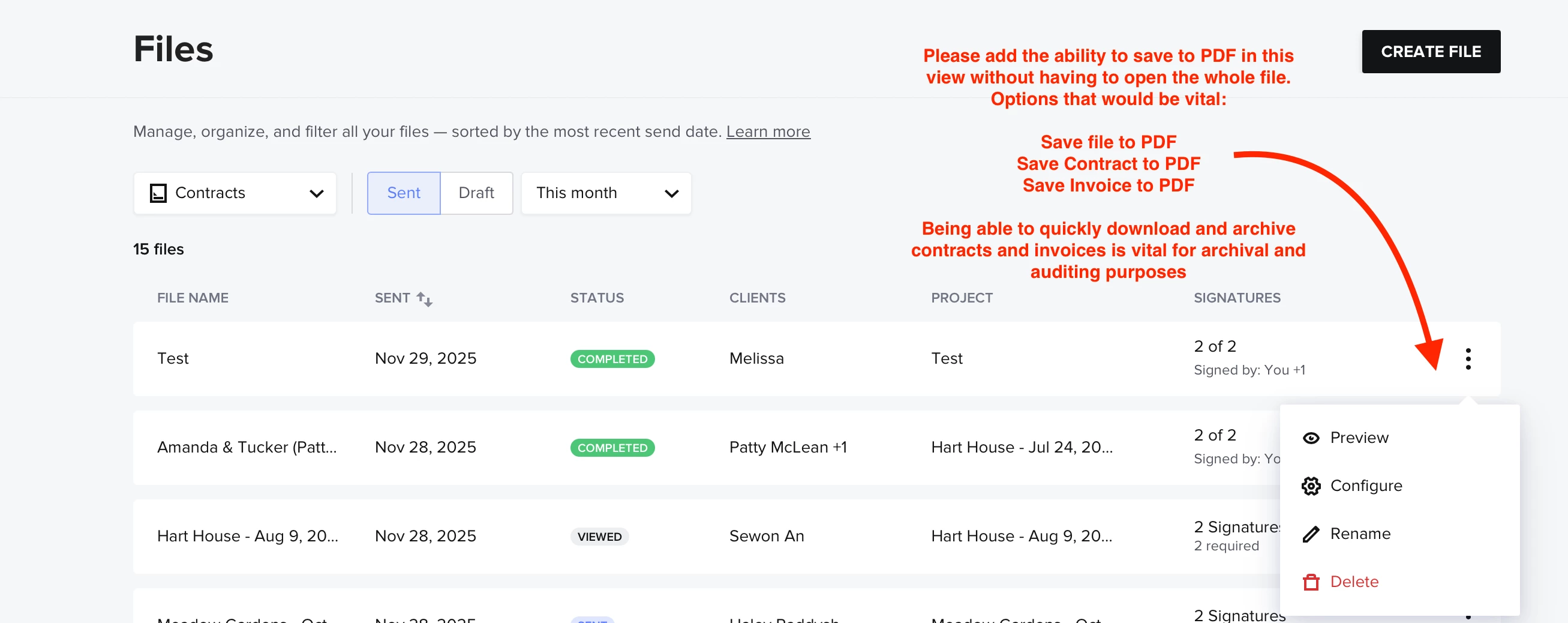
For bulk access: HoneyBook doesn't currently have a one-click "export all PDFs" feature, but the PDF option lives inside each individual file. If you need PDFs sent automatically to clients, you can set up an automation to send a file copy on payment.
More info here: https://help.honeybook.com/en/articles/5949670-printing-or-saving-a-file-as-a-pdf




Sign up
Already have an account? Login

Welcome! To join the HoneyBook Community, log in with your HoneyBook account below.
You'll confirm your username and share a bit about yourself, then you're ready to explore and connect.
Free trial? No problem. Log in with your trial credentials to join.
Already a member? Hi and welcome back!
You will see the HoneyBook login page briefly to validate your trial or account.
Employee Login
Log in with HoneyBook
Welcome! To join the HoneyBook Community, log in with your HoneyBook account below.
You'll confirm your username and share a bit about yourself, then you're ready to explore and connect.
Free trial? No problem. Log in with your trial credentials to join.
Already a member? Hi and welcome back!
Welcome to the Community
Welcome! To join the HoneyBook Community, log in with your HoneyBook account below.
You'll confirm your username and share a bit about yourself, then you're ready to explore and connect.
Free trial? No problem. Log in with your trial credentials to join.
Already a member? Hi and welcome back!
You will see the HoneyBook login page briefly to validate your trial or account.
Employee Login
Log in with HoneyBook
Welcome! To join the HoneyBook Community, log in with your HoneyBook account below.
You'll confirm your username and share a bit about yourself, then you're ready to explore and connect.
Free trial? No problem. Log in with your trial credentials to join.
Already a member? Hi and welcome back!
Enter your E-mail address. We'll send you an e-mail with instructions to reset your password.